

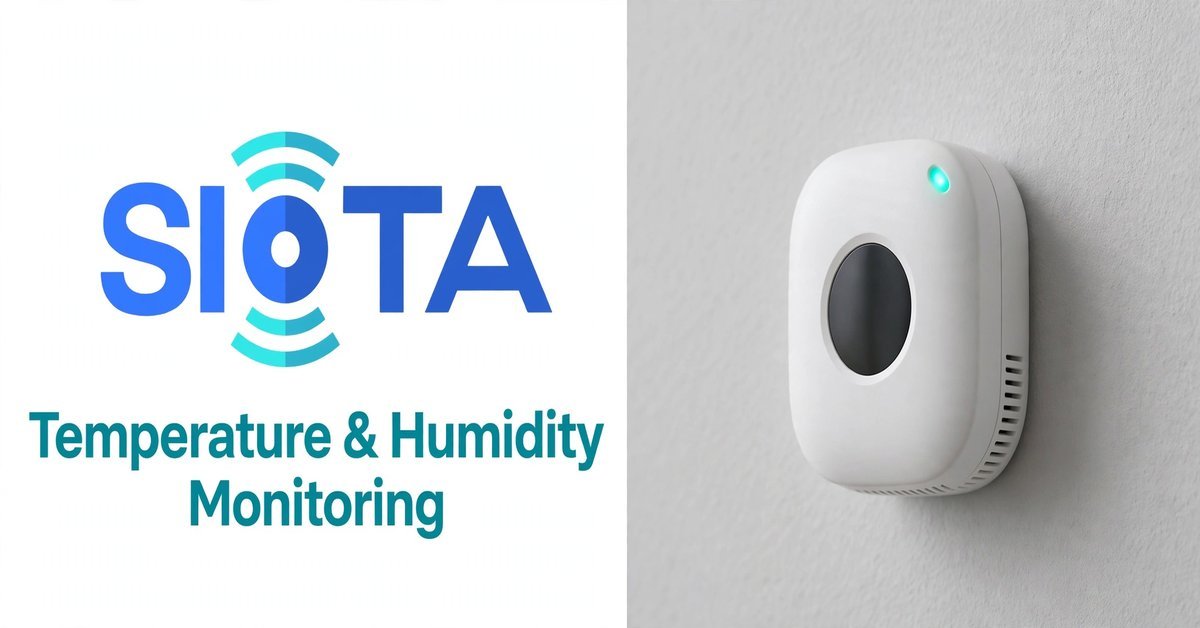
Every facility manager has a version of the same story: the cold room drifted at 3 am, nobody knew till the morning shift arrived, and by then a batch of stock — vaccines, food, lab samples, whatever the room holds — sat at the wrong temperature for hours. The register showed two neat entries, both perfectly normal. A real time temperature monitoring system exists so that story never happens again: sensors watch the room round the clock, the readings stream to a dashboard, and the moment something drifts, the right person’s phone buzzes.
This guide is for the people responsible for temperature-sensitive spaces in Indian facilities — pharma warehouses, food plants, hospitals, data and server rooms, laboratories, clean rooms. It covers what a real time temperature monitoring system does all day, why the old twice-a-day manual check keeps failing, where sensors should actually sit, and how to set up alerts your team will respond to instead of mute. Practical, plain, and written from how these systems behave on real sites.
What a real time temperature monitoring system does all day
Strip it down and the job is simple: measure continuously, record everything, and shout when something crosses a limit. Small sensors placed in the room take temperature readings every few minutes — and humidity too, where it matters — and send them to a gateway that pushes them to a cloud dashboard. A real time temperature monitoring system never sleeps, never forgets to write the entry, and never rounds off an awkward reading to make the register look tidy.
The dashboard is where it becomes useful. You see each room as a live tile with its current reading, a trend line for the day, and colour coding that turns amber and then red as readings approach and cross your limits. Yesterday’s curve sits next to today’s, so a slow drift is visible long before it becomes an excursion. And every reading is stored with a timestamp, which means the record for any given hour exists whether or not anyone was in the building.
The third piece is the alerting, and this is where good systems separate from decorative ones. When a room crosses its limit, the system messages the duty person immediately — and if nobody acknowledges, it escalates to the next name on the list. The alert says which room, what the reading is, and how long it has been out of range. That single message, arriving at 3 am instead of being discovered at 9 am, is the entire economic argument for monitoring.
The clipboard round: why twice-a-day checks keep failing
The traditional method is familiar everywhere: someone walks the rooms twice a day, reads the wall thermometer or the data logger display, and writes the number in a register. It feels diligent. The problem is arithmetic — two readings cover about two minutes of a 1,440-minute day. Everything that happens between the rounds is invisible: the compressor that short-cycles at night, the door left ajar during a long loading session, the power cut that lasted forty minutes at noon.
Worse, the register has a quiet honesty problem. Nobody writes down a bad reading if they can avoid it, because a bad reading means paperwork, explanations, and a supervisor asking uncomfortable questions. So the awkward numbers get “corrected” on the spot, and the register becomes a work of fiction that everyone politely believes. That is the gap a real time temperature monitoring system closes — not by distrusting your people, but by removing the moment of temptation entirely. The sensor writes what it sees.
There is also the simple matter of response time. A manual check discovers a problem hours after it started; continuous monitoring discovers it within minutes. For a vaccine cold room or a server room, that difference is the difference between a logged excursion and a lost batch — or a fried rack. The clipboard had its era. Sensitive stock deserves better.
Where it matters most: cold rooms, server rooms, labs and wards
Cold rooms and cold storage are the obvious case. Food, dairy, vaccines, and pharma stock all have narrow temperature bands, and a drifted cold room does not announce itself — the door still feels cold when you open it briefly. Continuous monitoring catches the slow overnight climb that a morning check would miss, and the record proves to auditors and customers that the chain never broke. For food businesses, that proof is increasingly what buyers and regulators ask for first.
Server rooms and data rooms fail differently — fast and hot. A precision AC trip in a small server room can push temperatures into the danger zone within the hour, and the first sign is often equipment shutting itself down. Humidity matters here too, which is why a humidity monitoring system belongs in the same conversation: too dry and static builds up, too damp and condensation threatens the hardware. One dashboard watching both keeps the IT team from discovering the outage before the facility team discovers the cause.
Then there are the places people forget: hospital medicine stores and blood banks, pathology labs, clean rooms, museums and archives, even the chocolate godown behind a retail chain’s warehouse. Anywhere the product or the process is fussy about its climate, the economics are the same — the cost of one ruined batch dwarfs the cost of watching the room properly. If losing the contents of the room would ruin your week, the room deserves a real time temperature monitoring system watching it.
Sensor placement: the mistakes every site makes
The most common mistake is putting a single sensor in the easiest spot — next to the door, at eye level, right where the installer was standing. That spot tells you about the doorway, not the room. Cold air pools low, warm air gathers near the ceiling and the roof, and the corner farthest from the cooling unit lives a different climate from the corner next to it. A room monitored from one convenient point is a room half-monitored.
The fix is to think like the air moves. Place sensors at the product level, not at human eye level — inside the cold room, that means near the stock, away from direct blast of the cooling coil. Keep them away from doors, which swing open and flood the sensor with warm air every time someone enters, and away from heat sources like lighting fixtures and equipment exhausts. In larger rooms, two or three sensors beat one every time: one near the cooling source, one at the far end, one in the middle where the product actually sits.
Humidity sensors deserve the same care, plus one extra rule: keep them out of direct air blasts and away from walls that sweat. A humidity reading taken in the downdraft of an AC vent is fiction. And whatever the layout, document it — a simple sketch of which sensor sits where, stuck inside the panel door. Six months later, when someone asks why sensor 3 always reads warmer, that sketch is the difference between a five-minute answer and a day of confusion.
Alerts that people actually respond to
An alert nobody acts on is just noise with a ringtone, and badly configured systems produce plenty of it. The classic failure is the threshold set too tight: the cold room brushes its limit for ninety seconds during a door opening, the phone buzzes, the operator learns to ignore it, and three weeks later a genuine excursion gets swiped away with the rest. A well-tuned temperature and humidity monitoring solution uses delay timers — alert only if the reading stays out of range for, say, fifteen minutes — so the phone stays silent for blips and rings for real problems.
Escalation is the second half of the design. The first message goes to the person on duty; if there is no acknowledgement within a set time, the next message goes to their supervisor, and then to the facility head. Everyone knows the chain in advance, which does two useful things: the duty person responds faster knowing the boss is next in line, and the boss is not woken for problems the duty team already handled. Write the escalation list down, pin it up, and review it whenever someone changes shifts or leaves the company.
Finally, give alerts a closing loop. Every alert should end with someone recording what happened and what was done — door left open, compressor tripped, power cut, sensor fault. That log becomes your most honest maintenance record: the rooms that alert monthly have equipment asking for attention, and the pattern is visible long before the breakdown. Sites that review their alert history every month fix things in daylight that would otherwise fail at midnight.
From readings to proof: audits, clients and peace of mind
Here is where continuous monitoring quietly pays for itself a second time. Pharma auditors, food safety inspectors, and large institutional buyers increasingly ask for temperature records — and a continuous digital log beats a handwritten register in every way that matters. It cannot be backfilled, it cannot be tidied up, and it shows the nights and weekends, which is precisely what an auditor wants to see. A real time temperature monitoring system turns “trust us, it was fine” into a chart you can email.
The same records settle internal arguments. When a batch is rejected and the supplier blames your storage, the log shows exactly what your cold room did on that date. When the maintenance vendor says the compressor was fine all month, the alert history says otherwise. Data does not take sides; it just remembers. Facility heads who have lived through one such dispute never go back to registers.
And there is the quietest benefit of all: sleeping well. The person responsible for a vaccine cold room or a server room carries a low-grade worry home every evening. Knowing the system watches through the night and will call if something drifts does not just protect stock — it protects people from burnout. That is hard to put in a proposal, but every facility head understands it instantly.
Frequently asked questions
How many sensors does a room actually need?
It depends on the room’s size and what is at stake, but the honest rule is: more than one for anything that matters. A small medicine store can be covered by one well-placed sensor; a large cold room wants two or three — near the cooling unit, at the far end, and at product level in the middle. One sensor tells you about one spot. Two or three tell you about the room.
Will the system keep working during a power cut?
The monitoring should outlast the power cut. Sensors and gateways on battery backup keep recording through outages, which is exactly when you most need the record — a cold room warming during a long cut is the excursion everyone asks about later. Ask any vendor how many hours their backup lasts and what happens to readings taken while the internet is down. The answers should be specific, not reassuring. That is standard for a real time temperature monitoring system built for Indian sites.
Wired or wireless sensors — which is better?
Both work; the choice is about the site. Wireless sensors install in minutes with no cabling, which suits retrofits and rented spaces, but they need battery changes and a clean radio path to the gateway. Wired sensors are fit-and-forget but need cabling work upfront. For most Indian retrofits, a real time temperature monitoring system on wireless sensors wins on practicality — just confirm the battery life in writing and who replaces them.
Can it work alongside our existing BMS?
Yes, and usually it should. The monitoring layer does not need to replace your building management system; it sits beside it, measuring independently. That independence is actually a feature — when the BMS says everything is fine and the room disagrees, you want a second opinion from a system with no stake in the answer. Most deployments feed summary data to the BMS while keeping their own independent record.
How long is the data stored, and who owns it?
Insist on at least a year of accessible history — auditors routinely ask for months of records, not days. And get the ownership answer in writing: your data must be exportable in a standard format, and you should know exactly what happens to it if you ever change vendors. A monitoring company that is vague about data ownership is telling you something important.
Do we still need manual logbooks for audits?
In most cases the digital record replaces the register, and auditors prefer it — timestamped, continuous, tamper-evident. Some sites keep a light manual log during the transition while everyone builds trust in the system, which is fine. But the direction everywhere is the same: the register is on its way out, and the sooner your records are digital, the fewer audit arguments you will have.
If temperature is the whole job in your rooms, not a detail, this deserves a proper conversation. Walk your critical rooms tonight and ask what the register will not tell you tomorrow — then talk to people who set up monitoring for a living. A humidity monitoring system with temperature tracking for one critical room is a small project with an outsized return. To speak with the SIOTA team or see what other facility managers say, find SIOTA on Google here — the rooms you worry about at night deserve watching round the clock.
